ERPL-ADT Overview
A single binary that speaks the SAP ADT REST API — the same protocol Eclipse uses. As a CLI it scripts ABAP work from a terminal or CI; as an MCP server it gives AI coding agents like Claude Code, Cursor, and Gemini full access to your SAP system. No Eclipse, no SAP NW RFC SDK, no JVM.
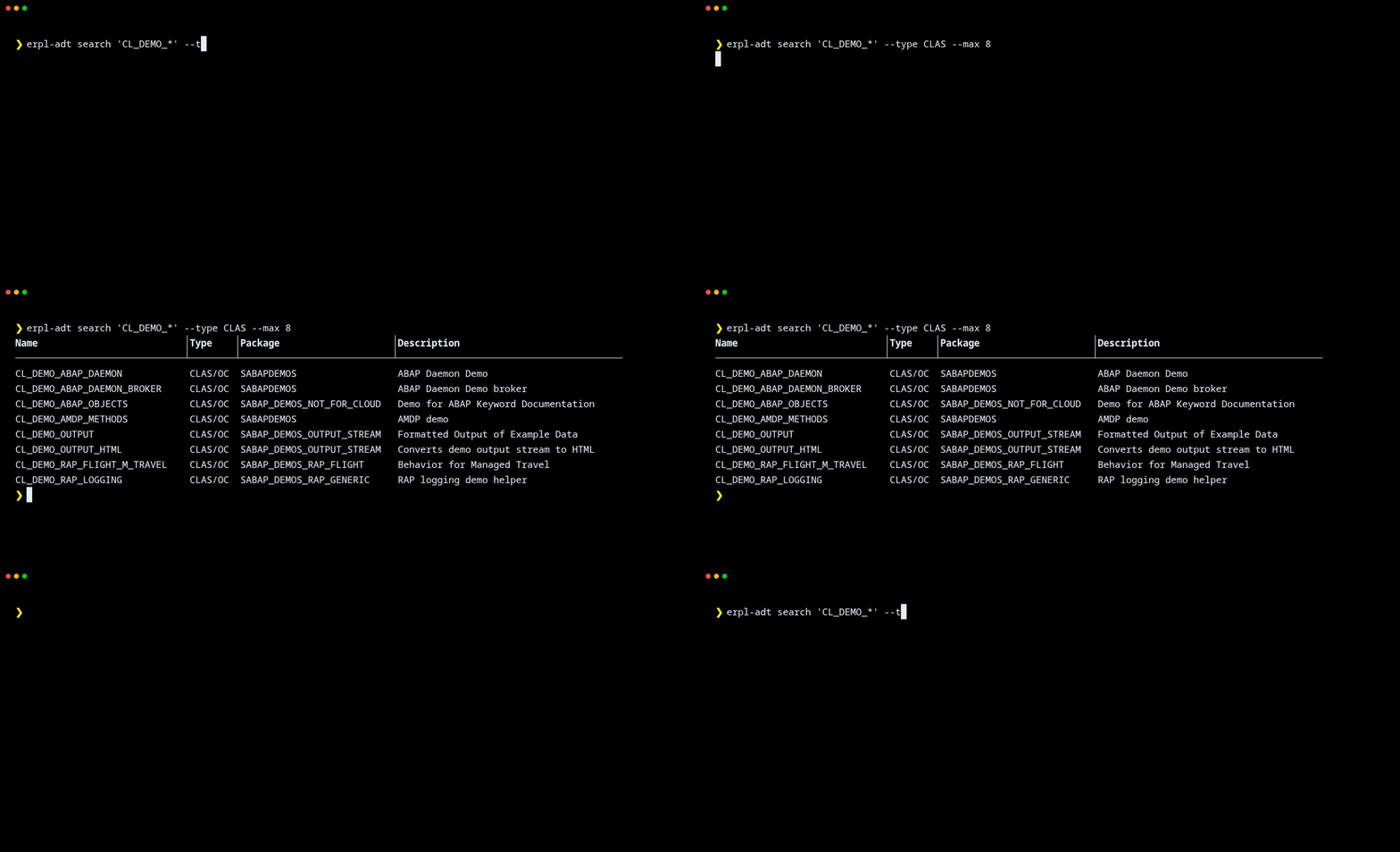
Core Capabilities
Search & browse Find ABAP classes, programs, function groups, data dictionary tables, CDS views and packages by name pattern or type.
Read & write source Read ABAP source with syntax highlighting; write back with auto-locking, transport wiring, and activation in one step.
Run tests & checks Trigger ABAP Unit and ATC quality checks from the command line. Exit codes report test pass/fail and check severity.
Manage transports Create, list, and release transport requests. Pipe to JSON for CI integration.
BW/4HANA modeling Search the BW catalog across ADSO/HCPR/DTPA/TRFN/RSDS/QUERY, inspect InfoProvider field structures, and export an InfoArea's dataflow as Mermaid for documentation or diff review. See the BW guide.
MCP server The same operations exposed as Model Context Protocol tools — drop into any MCP client and let the agent decide which tools to call. See the MCP guide.
Installation
The quickest way — no download needed:
uvx erpl-adt --help
Or install permanently:
pip install erpl-adt
Or grab a static binary for your platform from the latest release:
| Platform | Architecture |
|---|---|
| Linux | x86_64 |
| macOS | arm64, x86_64 |
| Windows | x64 |
Quick Start
# Save credentials (prompts for the password)
erpl-adt login --host sap.example.com --port 44300 --https --user DEVELOPER

# Search for classes
erpl-adt search 'ZCL_FLIGHT*' --type CLAS --max 20

# Read source with syntax highlighting
erpl-adt source read ZCL_FLIGHT_CTRL --color
Every command accepts --json for machine-readable output.
For a guided walkthrough see the 5-minute quickstart.
In Action
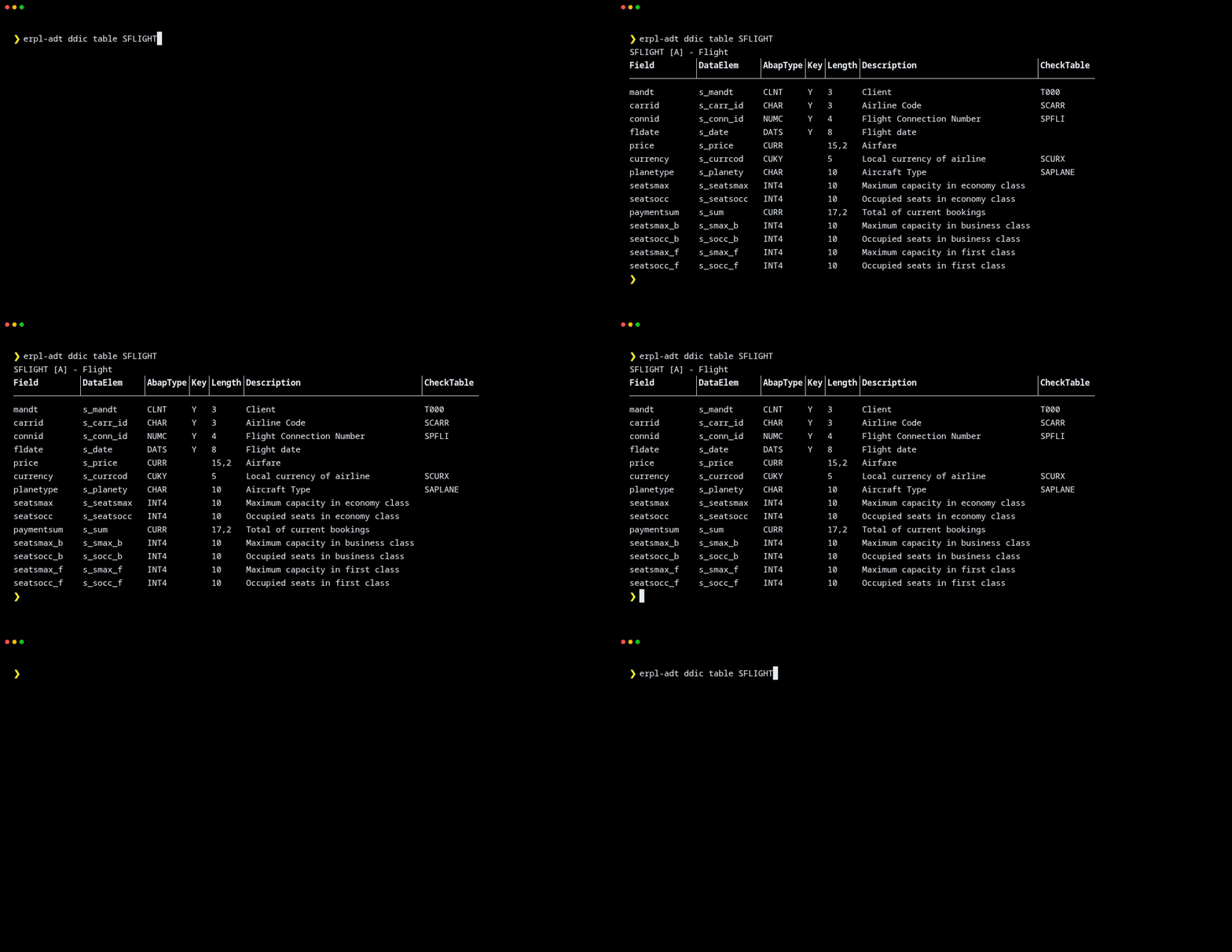
Read a data-dictionary table — AbapType and CheckTable columns are resolved automatically:
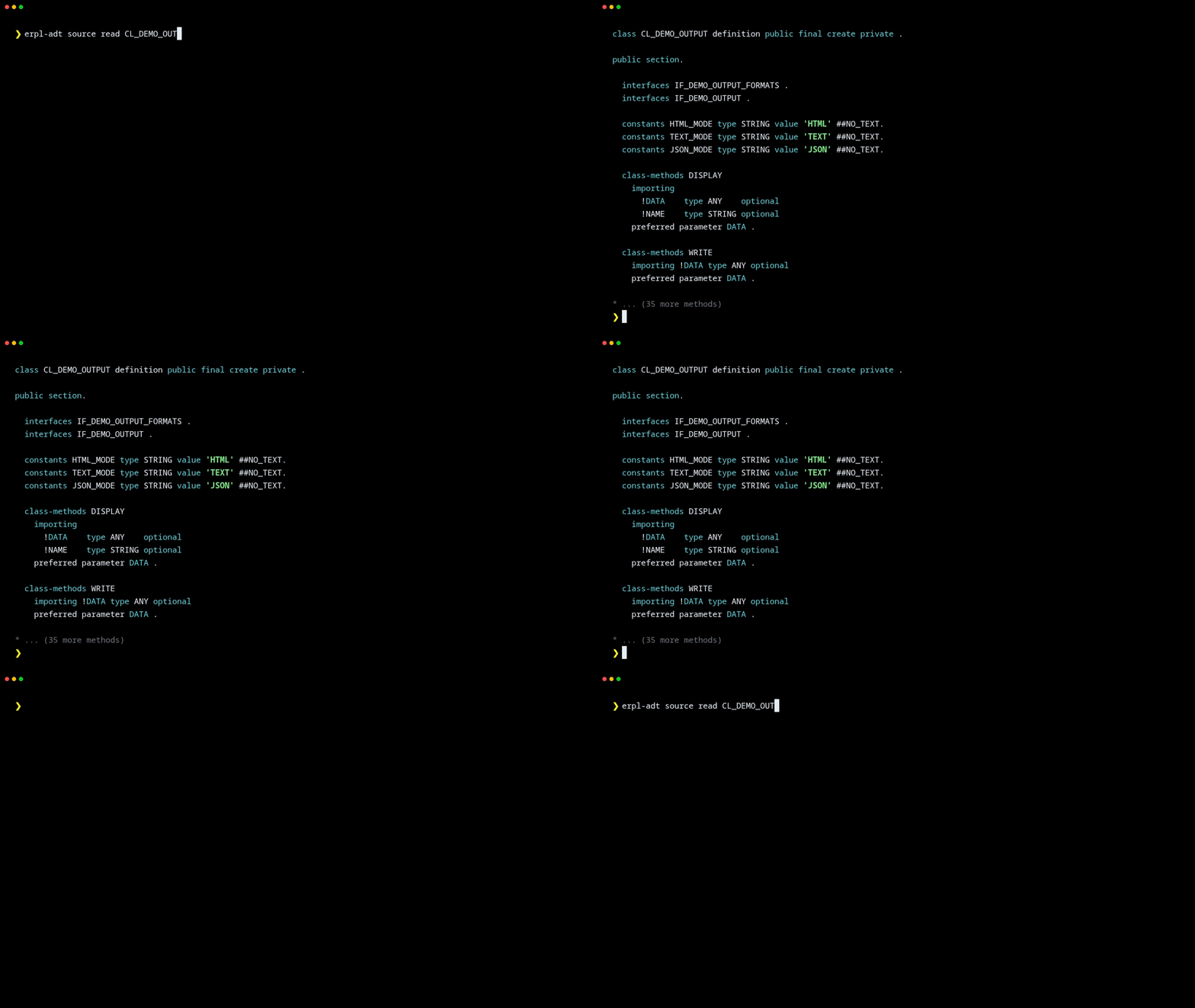
Read ABAP source with built-in syntax highlighting:
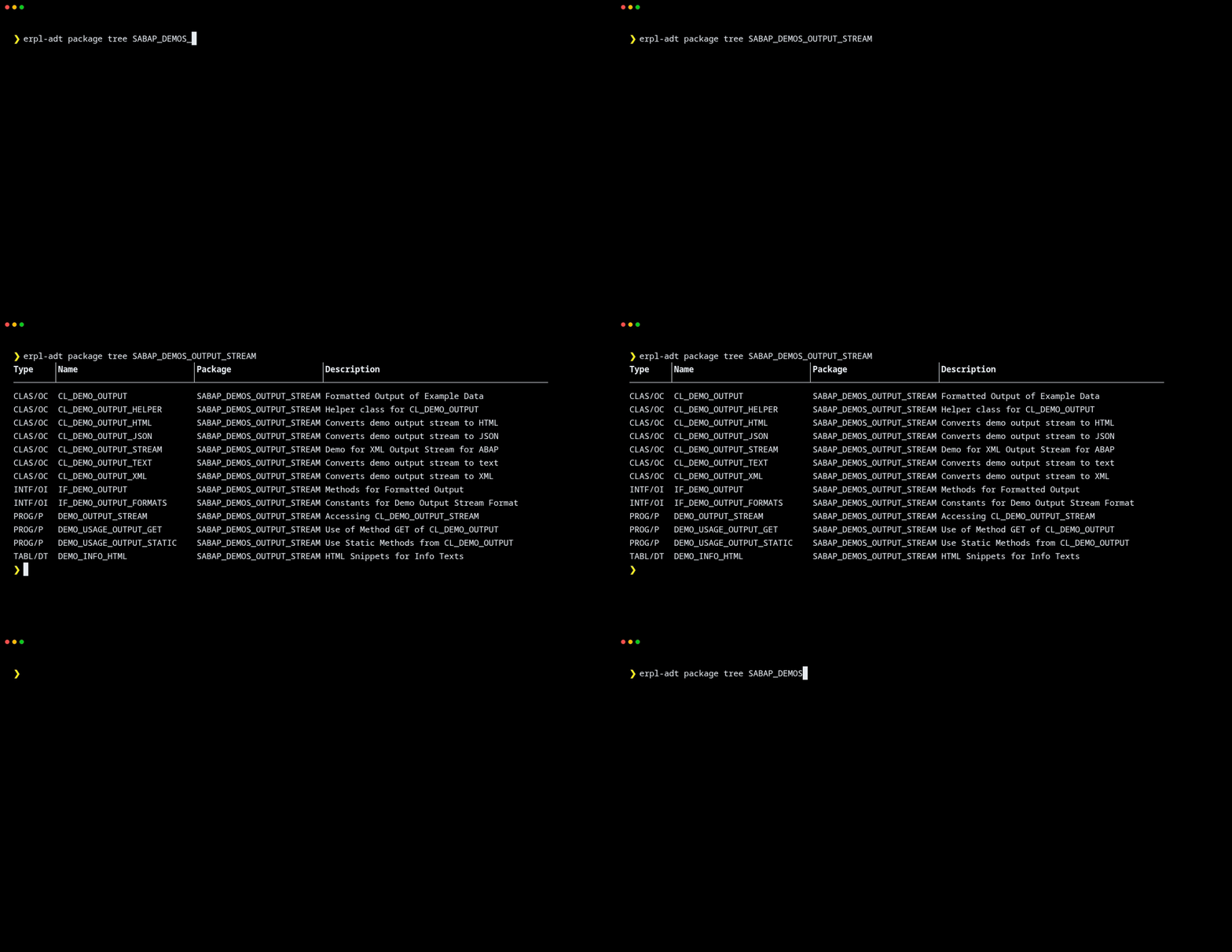
Browse a package recursively to enumerate everything it contains:
The BW catalog, ADSO field structure, and dataflow-as-Mermaid live on the BW page.
Documentation
- BW/4HANA Modeling — catalog search, ADSO inspection, Mermaid dataflow export
- MCP Server — wire erpl-adt into Claude Code, Cursor, Gemini
- Command Reference — every group, action, and flag
- Quickstart — 5 minutes from install to first MCP call
How It Works
ADT communicates with SAP over a well-structured REST API: resource URIs, XML payloads, stateful sessions for locking. erpl-adt speaks the same protocol Eclipse does — so anything Eclipse can do against your system, the CLI and MCP server can do too.
The MCP mode is the interesting part. It means any AI coding agent can talk to your SAP system — search code, read source, run tests, write fixes — through a standardized protocol. The agent decides which tools to call and in what order. For the full story, read the announcement post.
Community & Support
- GitHub: datazooDE/erpl-adt
- Releases: github.com/datazooDE/erpl-adt/releases
- Issues & feature requests: GitHub Issues on the same repo
License
erpl-adt is licensed under the Apache License 2.0. See the LICENSE file.
Give your terminal and your AI agents the same ABAP superpowers Eclipse has — without Eclipse. 🤖