BW/4HANA Modeling
erpl-adt's bw command group talks to the SAP BW Modeling REST API. You can search the BW catalog, read InfoProvider structures, walk lineage graphs across DTPs and transformations, and export an entire InfoArea's dataflow as a Mermaid diagram you can commit next to the model.
The /sap/bw/modeling/ endpoints must be active on the SAP system. On a fresh a4h Docker trial they default to inactive — see the activation steps in the erpl-adt repo. The CLI prints an actionable hint when it sees a 404 on a /sap/bw/modeling/ path.
Search the BW catalog
bw search returns objects across ADSO, HCPR, DTPA, TRFN, RSDS, QUERY (and friends) with a Status column distinguishing active from inactive.
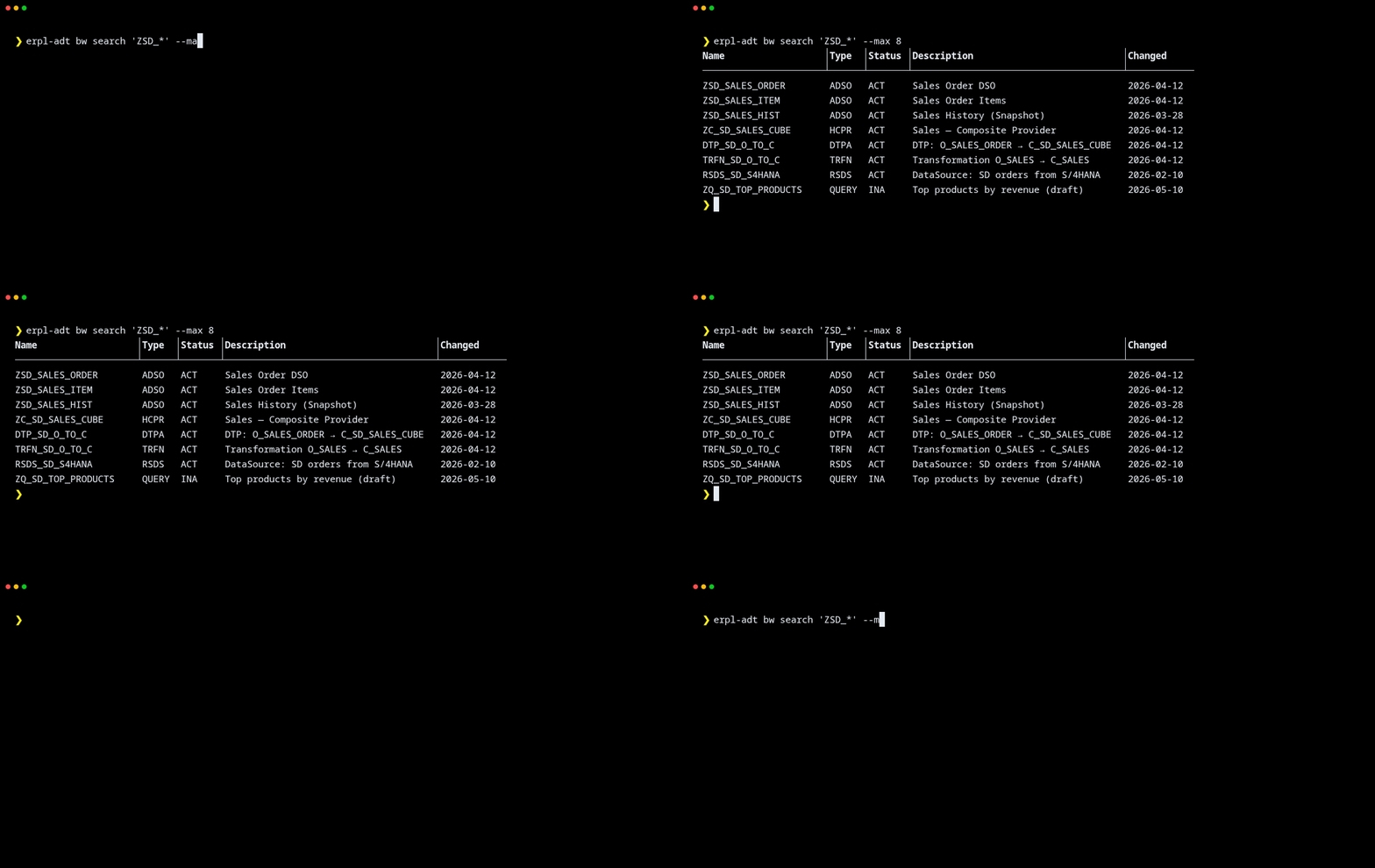
erpl-adt bw search 'ZSD_*' --max 8
erpl-adt bw search '*REVENUE*' --type QUERY
erpl-adt bw search 'DTP_*' --type DTPA --changed-by DEVELOPER
Common filters:
| Flag | Filters by |
|---|---|
--type | TLOGO code (ADSO, HCPR, DTPA, TRFN, RSDS, QUERY, …) |
--subtype | Object subtype (REP, SOB, RKF, …) |
--status | ACT, INA, OFF |
--changed-by, --changed-from, --changed-to | Change history |
--depends-on-name / --depends-on-type | Reverse lookups |
--infoarea | InfoArea assignment |
Add --json for a machine-readable feed:
erpl-adt --json bw search 'ZSD_*' | jq '.[] | {name, type, status}'
Inspect an ADSO's structure
bw read-adso returns the field layout with the InfoObject each field maps to — exactly the resolution you'd otherwise click through in BW Modeling Tools.
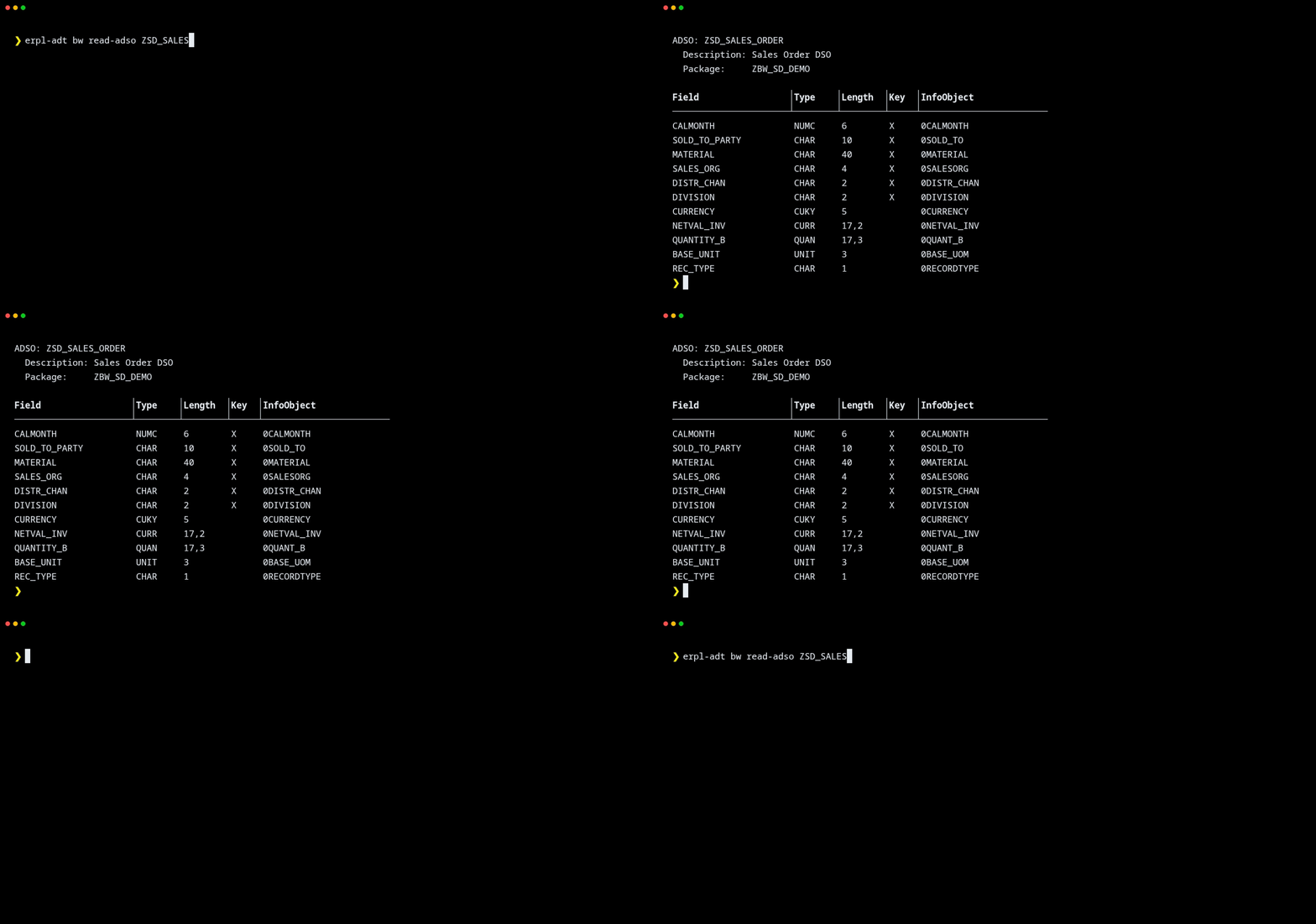
erpl-adt bw read-adso ZSD_SALES_ORDER
erpl-adt bw read-adso ZSD_SALES_ORDER --version m   # show modified version
Sibling commands for other object families:
bw read-dtp <name>— DTP details: source, target, mode, runtime statsbw read-trfn <name>— transformation definitionbw read-dmod <name>— data model topologybw read-rsds <name>— DataSource field structurebw read-query <name>— query family component (supports--format mermaid)bw read <type> <name>— generic fallback that works for any TLOGO
Export a dataflow as Mermaid
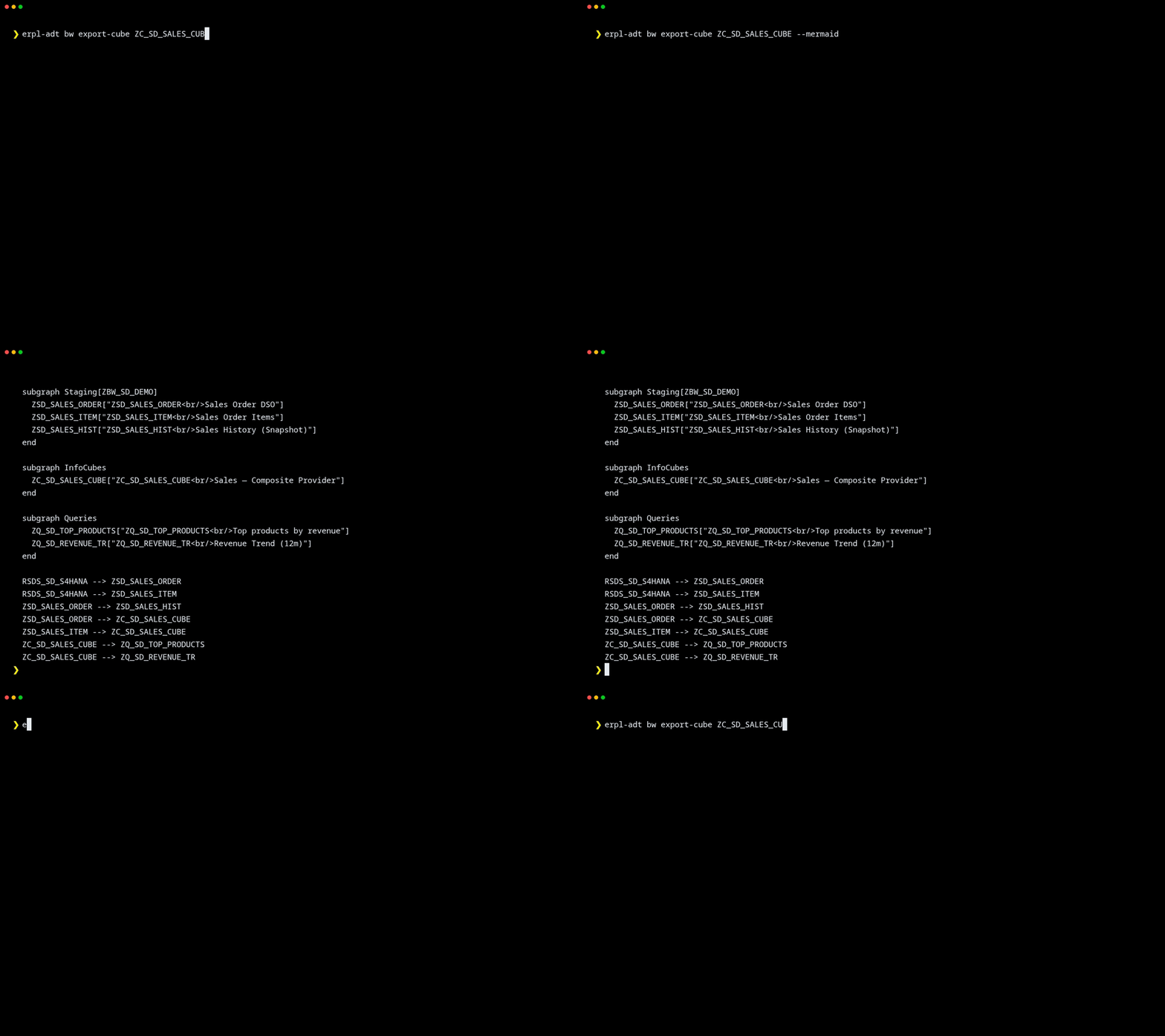
bw export-cube (and its sibling bw export-area / bw export-query) traverse the full provider graph rooted at one object and emit Mermaid graph LR syntax. Pipe it straight into mmdc to render, or commit the .mmd next to the model for review.
# Print Mermaid to stdout
erpl-adt bw export-cube ZC_SD_SALES_CUBE --mermaid

# Write catalog JSON + Mermaid side by side
erpl-adt bw export-cube ZC_SD_SALES_CUBE --mermaid --out-dir build/lineage

# OpenMetadata-shaped JSON for ingestion into a catalog
erpl-adt bw export-cube ZC_SD_SALES_CUBE \
  --shape openmetadata --service-name bw_prod --system-id BWP
The emitted diagram groups objects by role — Sources, Staging[InfoArea], InfoCubes, MultiProviders, Queries — and draws provider --> consumer dataflow edges between them. Add --iobj-edges to include InfoObject nodes for dimensions, filters, variables, and key figures.
Lineage as a typed graph
If you'd rather work with a normalized lineage graph than a diagram, bw lineage <DTP> returns a typed-node/typed-edge JSON document with provenance:
erpl-adt --json bw lineage DTP_SD_O_TO_C | jq '.nodes[] | {id, type, name, role}'
The graph schema is documented in docs/bw-lineage-contract-v3.md in the erpl-adt repo and is intended to round-trip cleanly into OpenMetadata, DataHub, or your own catalog.
Where to next
- Command Reference — every
bwsubcommand and flag - MCP server — expose these capabilities to AI agents
- erpl-adt repo — protocol specs in
docs/bw-protocol-spec.md