Read SAP ERP data with Airbyte

Summary
- Airbyte is one of the most popular integration solutions. However it is lacking access to enterprise data sources from SAP. We show how with our ERPL Airbyte connector one can bridge this gap.
The Gap
Airbyte is the open-source data movement platform that most modern stacks reach for first. The connector catalog is huge — Postgres, BigQuery, Snowflake, Salesforce, Stripe, Shopify, you name it. Roll-your-own connectors are a few hours of Python with the Airbyte CDK.
Notably absent from that catalog: SAP. RFC, ODP, BW — none of it ships as a first-party source. If you live in SAP and want to push data into a lakehouse via Airbyte, you historically had three options:
- Pay for a commercial SAP-Airbyte third-party adapter.
- Stage SAP exports into a halfway database (Postgres, S3 Parquet) and point Airbyte at that.
- Roll your own connector against the SAP NetWeaver RFC SDK in Python — non-trivial, especially on Linux.
None of those are great. We wanted a fourth option: Airbyte talks to a thin Python connector, the connector talks to DuckDB, and DuckDB talks to SAP via the ERPL extension. That makes SAP look like a regular Airbyte source — no JVM, no proprietary RFC SDK in the connector, no halfway database.
How It Works
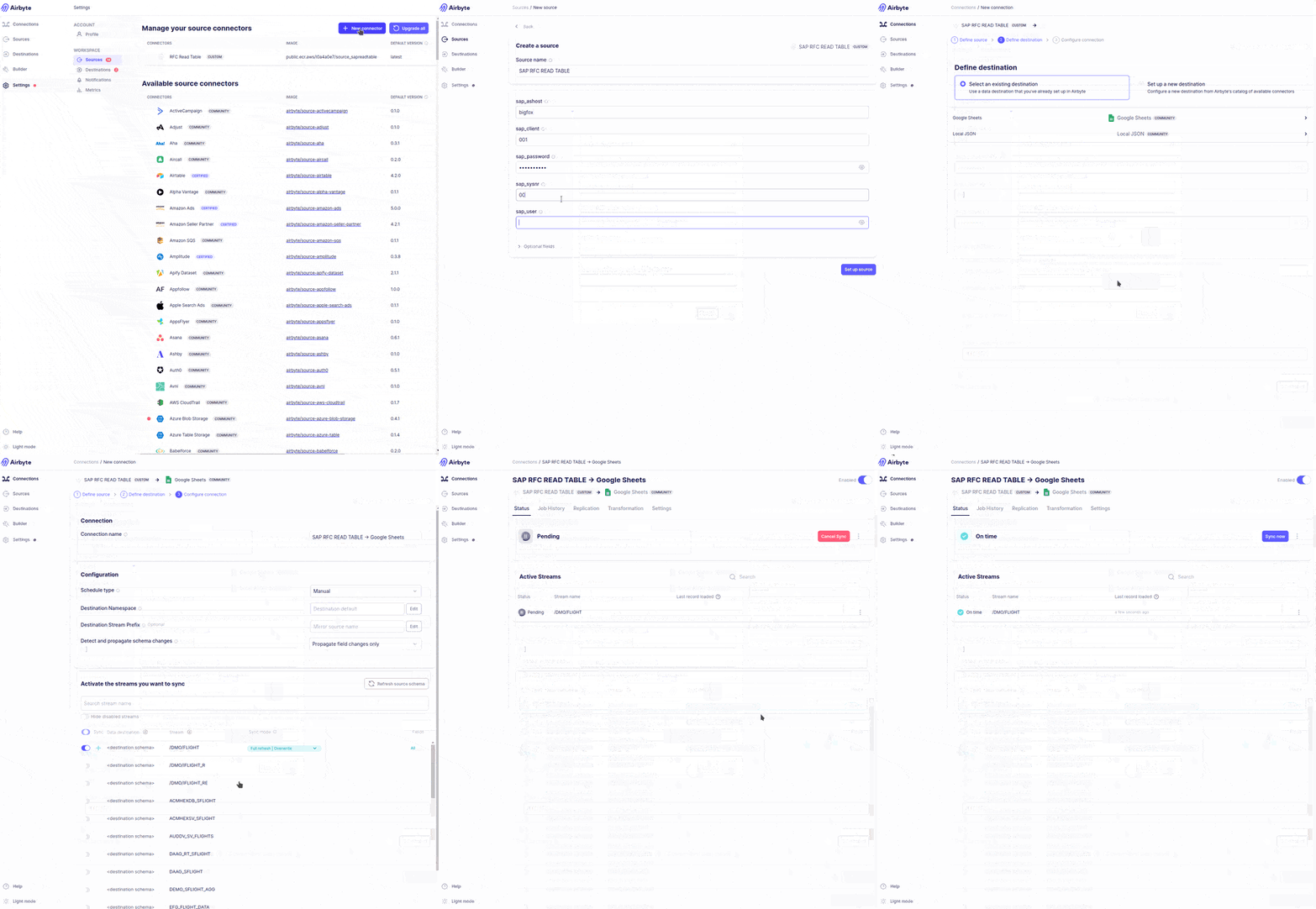
The ERPL extension already exposes SAP data as DuckDB tables. The Airbyte Python CDK already has a clean abstraction for emitting streams. The connector glues them:
- Airbyte launches the connector as a subprocess.
- The connector boots an in-process DuckDB, installs and loads
erpl, and configures the secret from the Airbyte source configuration. - For each requested stream (e.g.
KNA1,VBAK), the connector issuesSELECT * FROM sap_read_table(...)and emits the rows as Airbyte records. - Airbyte takes those records and replicates them to whichever destination is wired up — BigQuery, Snowflake, S3, Redshift, an Excel sink, whatever.
The whole connector is a few hundred lines of Python. Most of it is config plumbing; the actual SAP read is one DuckDB query.
What Got Built
Three connectors, one per ERPL protocol:
source-sapreadtable— generic SAP table reads via RFC. Point it at any table —KNA1,MARA,VBAK— and it streams rows.source-sapbics— SAP BW queries via BICS. Useful for already-modeled BEx queries instead of raw tables.source-sapodp— Operational Data Provisioning. Cursor-state delta extracts so subsequent syncs only carry the changes.
All three share the same DuckDB-inside-the-connector pattern. The choice of which to use depends on what you're extracting and how much SAP-side modeling already exists.
An Example Run
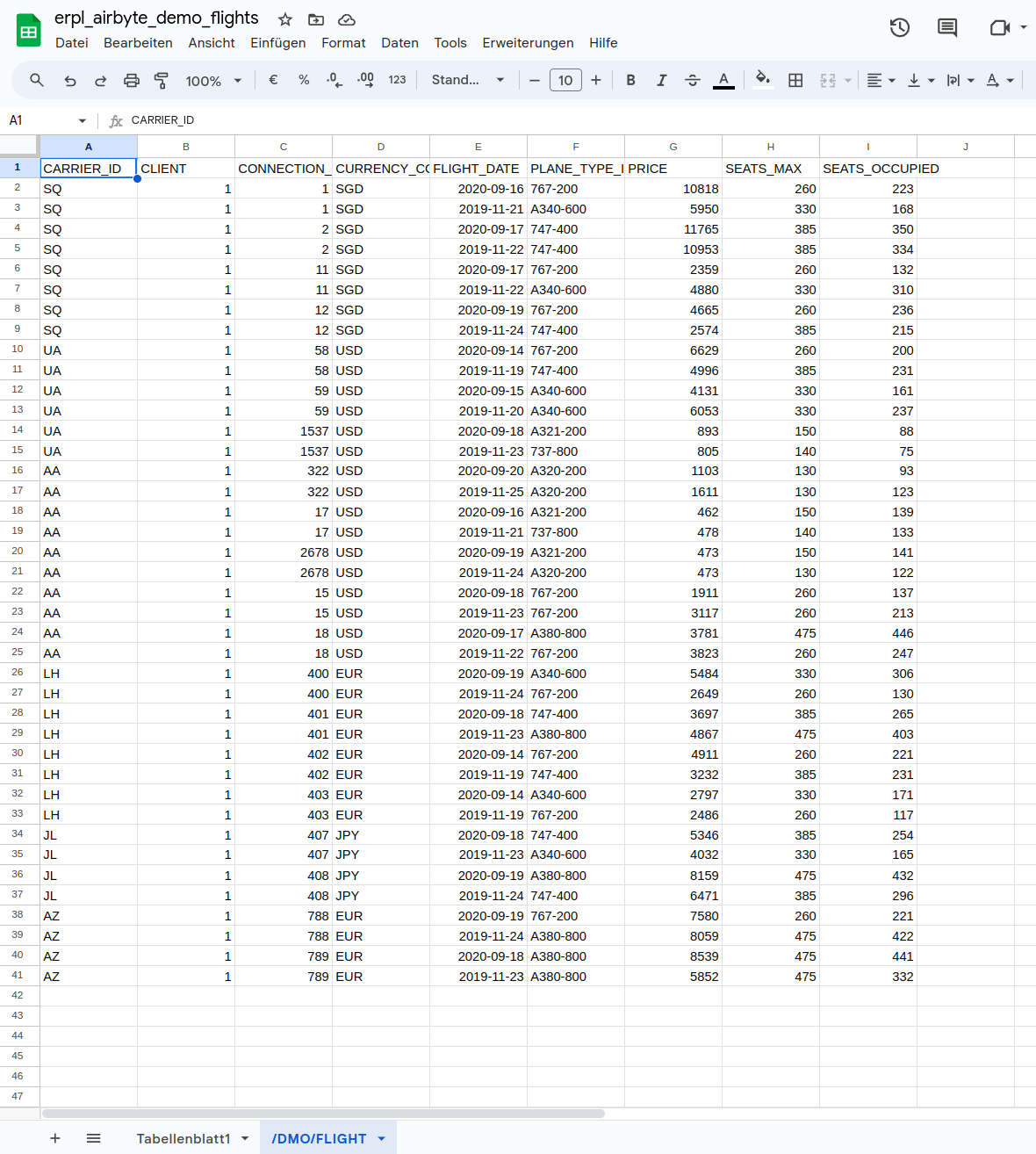
In the Airbyte UI, the configuration is what you'd expect:
- Source: ERPL SAP (Read Table)
- ASHOST / SYSNR / CLIENT / USER / PASSWD: standard SAP connection details
- Table list: comma-separated, e.g.
KNA1,VBAK,MARA - Run mode: Full Refresh or Incremental (with a watermark column you specify)
Once configured, Airbyte syncs the streams on whatever schedule you set. The screenshot above shows a sync of a few thousand KNA1 rows landing in DuckDB; with a BigQuery destination wired up, the same rows would land in a BigQuery table instead.
Status, and What We Recommend Today
The connector lives in our erpl-airbyte repository and is experimental. It works against the systems we tested against; coverage of every SAP edge case is not guaranteed.
If you need production-grade Airbyte-to-SAP, two options:
- Use the connector as a starting point and harden the bits that matter for your environment. The shape is simple enough that adapting it is a day or two of work, not a quarter.
- Skip the Airbyte indirection entirely: install ERPL directly in your destination (BigQuery via DuckDB-on-Cloud-Run, or a small ECS task), and let DuckDB pull straight from SAP into the warehouse. That's the path most of our users have moved to. It removes one moving part and gets you predicate pushdown end-to-end.
Either way, the moral is the same: the SAP connectivity that's been gated behind expensive enterprise tooling for two decades is now a SQL extension you can drop into any DuckDB session. Airbyte was just an excuse to prove it.
Try It
# Clone the connector repo
git clone https://github.com/datazooDE/erpl-airbyte
cd erpl-airbyte/source-sap

# Build the connector image, extensions baked in
./bin/build-image.sh
Register the image in your Airbyte instance, fill out the source config, and you're streaming SAP rows into whatever destination your data team prefers.
Questions? Open an issue or book a demo.