Extract SAP BW Metadata into a DuckDB Catalog

You inherit a BW system the way you inherit an old house: with the previous owner already gone and no manual in the drawer. There is a cube called 0D_NW_C01. There is a query called 0D_FC_NW_C01_Q0008. Somebody, once, knew exactly what each of them meant. That person left, and the knowledge left with them.
This is one of the quiet costs of enterprise data work: the metadata is in SAP, but it isn't easy to carry with you. To see what a cube contains you open the Data Warehousing Workbench. To read a query definition you open the Query Designer. To trace where a number comes from you open transaction after transaction, screenshotting as you go, because there is no other place to keep the answer.
I wanted that metadata in a file I could keep: cubes, queries, InfoObjects, characteristics, key figures, CDS views, and the links between them — something I could reason about without SAP in the loop.
That is what the erpl-adt catalog does. This post is Part 1: extract it, and browse it. Part 2 unplugs from SAP entirely and hands the file to an AI agent.

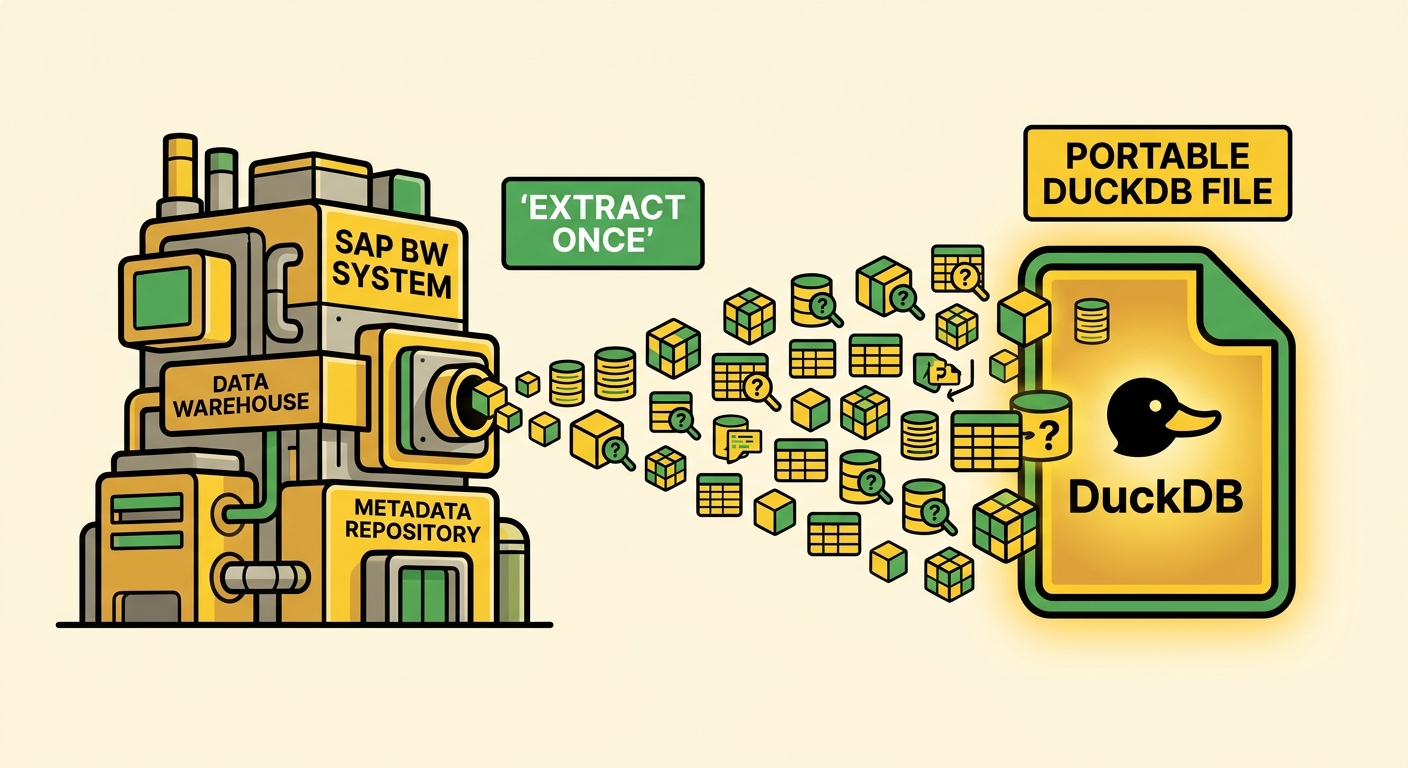
Everything in that terminal ran against a file. No SAP connection is open — the catalog was extracted once, and now it answers on its own.
The catalog in one sentence
erpl-adt catalog walks a scope of your SAP system and normalizes everything it finds — across ABAP, DDIC, CDS, and BW — into a unified catalog: entities, their fields, and the lineage edges between them, written into a single DuckDB file.
DuckDB matters here. The catalog isn't a proprietary format you need another SAP tool to open. It's a .duckdb file. You can query it with SQL, ship it in a git repo, attach it from Python, or point an AI agent at it. Once the extract finishes, the rest of the work happens against the file.
erpl-adt itself is a single statically-linked binary — no JVM, no SAP RFC SDK, no Eclipse. (If you're new to it, the introduction covers the basics.) The catalog is one subcommand of it.
The arrow from SAP runs one way. After catalog sync, everything downstream reads the file.
Step 1: point it at the BW content
First, save a connection profile so you're not repeating --host on every call. erpl-adt login writes a ~/.adt.creds file with 0600 permissions:
erpl-adt login \
  --host sap-dev.example.com \
  --port 44300 --https \
  --user DEVELOPER --client 001
BW modeling objects live in InfoAreas — the folders of the BW world. You can list them with the BW search:
erpl-adt bw search '*' --type AREA --max 100
One of those InfoAreas is 0D_NW_DEMO — SAP's NetWeaver demo, the closest thing a sandbox has to a real sales model — and that's where the 0D_NW_C01 cube lives. To catalog the BW content, pass the InfoAreas to catalog sync. It processes one InfoArea at a time, prints a progress line per item, commits as it goes, and — this matters on a big run — is resumable if the connection drops partway through:
# Feed sync the full InfoArea list that `bw search` returned
areas=$(erpl-adt bw search '*' --type AREA --max 100 --json | jq -r '[.[].name] | join(",")')
erpl-adt catalog sync catalog.duckdb --sid A4H --infoarea "$areas"
[ 1/25] infoarea 0BCT_CB (elapsed 1m2s)
[ 2/25] infoarea 0D_NW_DEMO (elapsed 1m8s)
...
[25/25] infoarea 0TSC0 (elapsed 4m18s)
Sync ok: +1073 ~0 -0
That +1073 is the number of BW entities now sitting in catalog.duckdb. The same command takes --package for ABAP/DDIC/CDS scopes, so a full run catalogs the whole landscape in one file — in ours, about 74,000 entities across all four domains. For this story we stay in BW.
Step 2: see what you got
The catalog is a normal DuckDB file, so the fastest sanity check is SQL. What kinds of BW objects came back?
duckdb catalog.duckdb "
  SELECT object_type, object_subtype, count(*)
  FROM entities WHERE domain = 'BW'
  GROUP BY 1, 2 ORDER BY 3 DESC"
┌─────────────┬────────────────┬──────────────┐
│ object_type │ object_subtype │ count(*)     │
├─────────────┼────────────────┼──────────────┤
│ IOBJ        │ CHA            │ 356          │   -- characteristics (dimensions)
│ ELEM        │ REP            │ 226          │   -- queries
│ IOBJ        │ KYF            │ 181          │   -- key figures (measures)
│ ELEM        │ CKF            │  93          │   -- calculated key figures
│ CUBE        │                │  53          │   -- InfoCubes
│ ELEM        │ RKF            │  54          │   -- restricted key figures
│ MPRO        │                │  20          │   -- MultiProviders
│ ELEM        │ VAR            │  45          │   -- query variables
└─────────────┴────────────────┴──────────────┘
That table is worth a second look. Every structural piece of a BW query is here as a first-class record: the cubes, the queries, the calculated and restricted key figures, the variables, the characteristics and key figures they're built from — not screenshots of them, but structured metadata, with 5,067 BW fields attached across them.
Step 3: browse it like a human
SQL is fine for a spot check, but you don't onboard onto a strange system through GROUP BY. The catalog ships with a browser. catalog webui serves a web Explorer straight out of the same binary — no separate server, no install — reading directly from the file:
erpl-adt catalog webui catalog.duckdb --port 8383
# then open http://127.0.0.1:8383/
Search for sales:
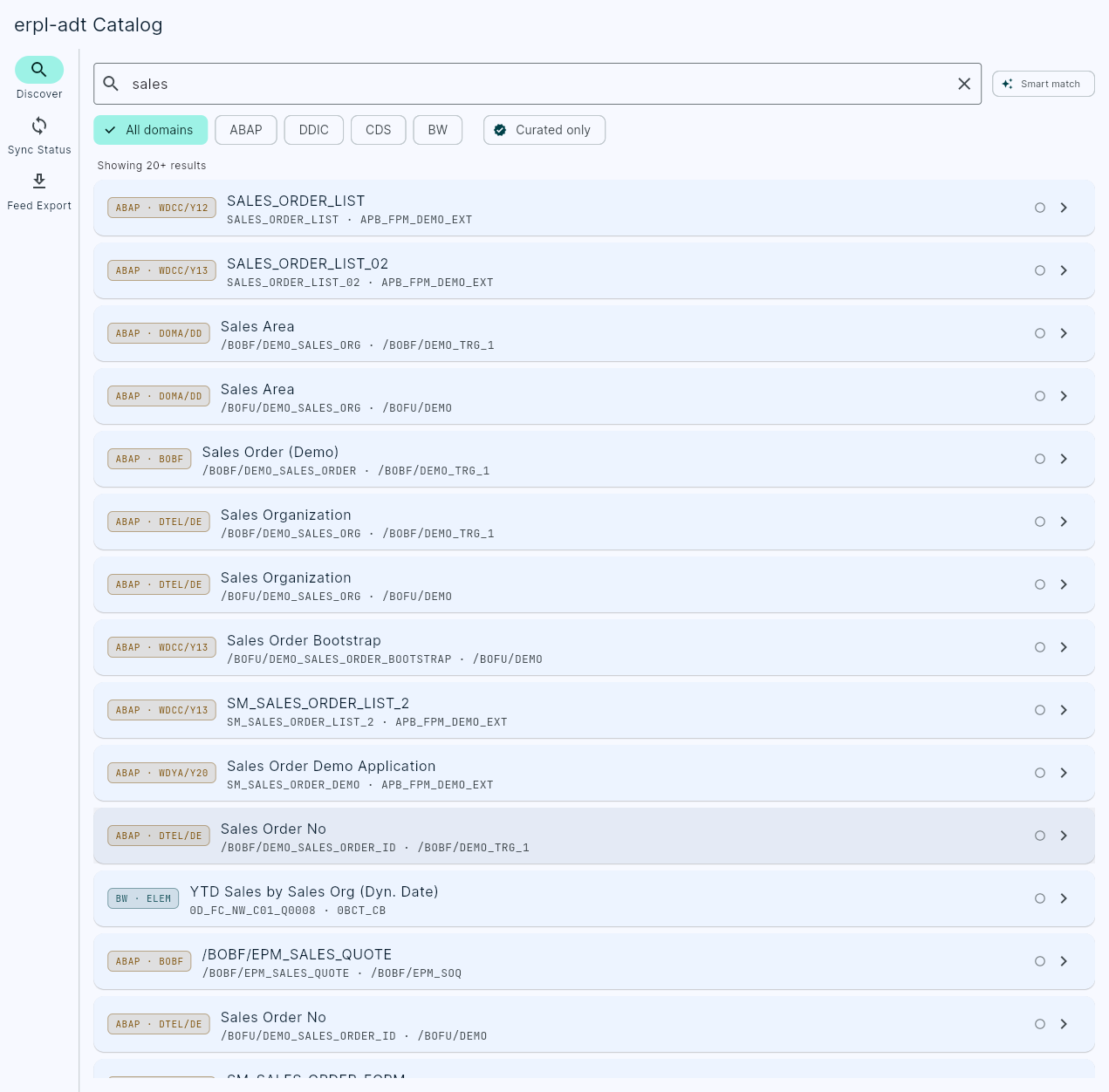
There it is: YTD Sales by Sales Org, technical name 0D_FC_NW_C01_Q0008, tagged BW · ELEM. Next to it, Revenue by Product Category and Region, Monthly Sales by Product Group. The full-text search runs against the cached catalog — no round-trip to SAP, so it answers instantly — and every hit is a live link into an entity view with its fields, its lineage, and its where-used graph.
That is useful on its own. A new team member can answer "what queries touch sales?" in one search box instead of a week of tribal knowledge. But the part I keep coming back to isn't that the catalog is browsable. It's that it's detached.
The reframe: metadata as a portable asset
Look again at what just happened. Every command after catalog sync — the SQL, the Explorer, the search — ran against catalog.duckdb. None of them touched SAP. The credentials were used exactly once, to extract; after that, the system was out of the loop.
The useful part is the decoupling. After the sync, the metadata behaves like any other local data file:
- It can be copied, committed, and diffed between releases.
- It can be queried with DuckDB from SQL, Python, notebooks, or BI tools.
- It can answer "what does this cube contain?" with no VPN, SAP GUI, or live session.
- It can be handed to an agent through MCP.
That last one is where Part 2 goes. A .duckdb file full of cubes, queries, key figures, and the lineage between them isn't only documentation for humans. It's a knowledge base an AI coding agent can read — and build on.
In Part 2, we do exactly that. We unplug from SAP completely — no credentials, no connection — point Claude Code at catalog.duckdb through the catalog's MCP tools, and ask it to reverse-engineer the 0D_NW_C01 cube and the YTD Sales by Sales Org query into runnable dbt models on DuckDB. The black box becomes a documented, portable data model — reconstructed entirely from the file we built today.
erpl-adt is part of the ERPL family — open tooling for getting SAP data and metadata out of SAP and into the engines you actually work in. Grab the binary with pip install erpl-adt or uvx erpl-adt --help.