
5 posts tagged with "CLI"

Command-line tools and interfaces

View All Tags

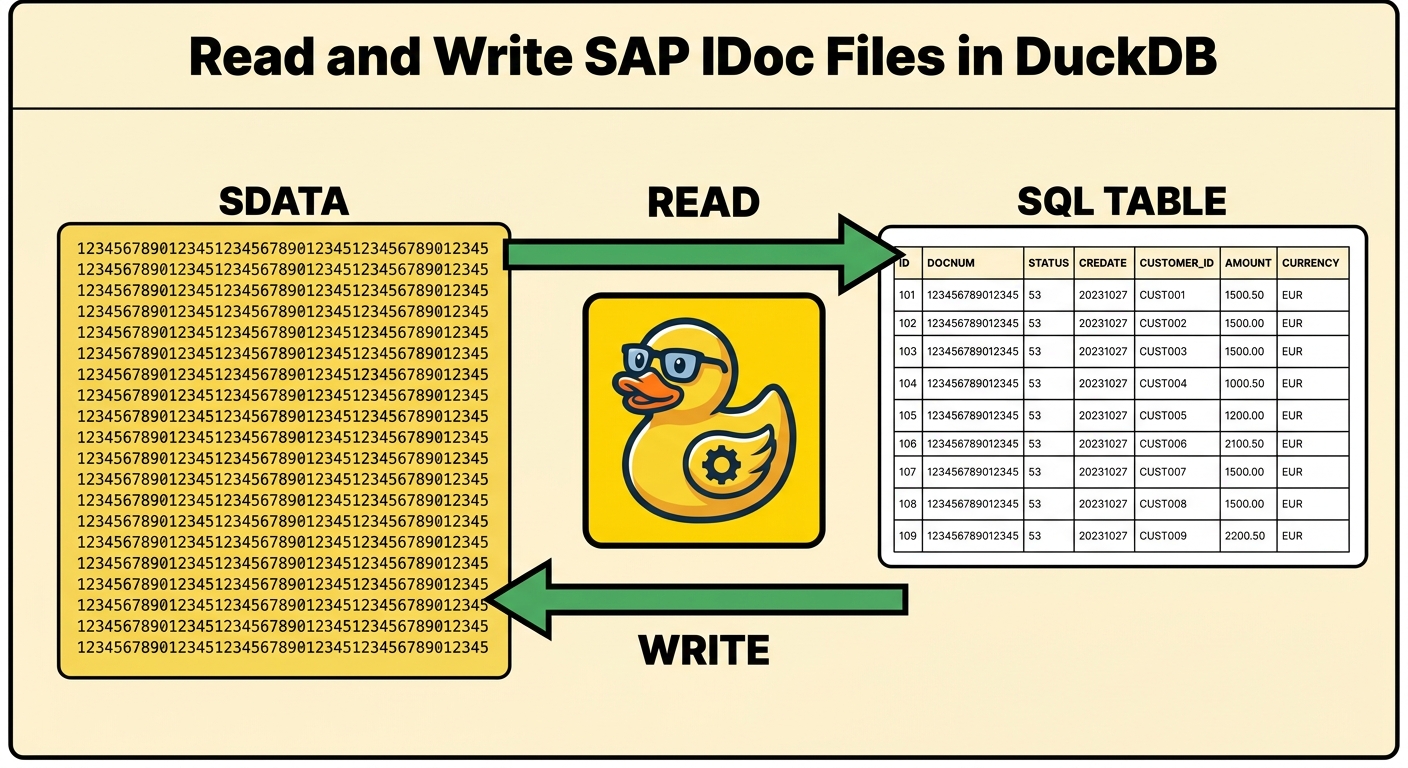
Read and Write SAP IDoc Files as SQL Tables in DuckDB

· 7 min read
Joachim Rosskopf
Co-Founder & CEO

Reading and writing SAP IDoc files as SQL in DuckDB — decode the opaque fixed-width SDATA into columns, and write byte-valid IDocs back, offline.

If you have ever worked an SAP EDI or ALE interface, you have seen an IDoc file: a flat text file where every line is exactly 1063 characters, and the payload — the field called SDATA — is a 1000-character run with no delimiters. No commas, no tags, no header. Just a fixed-width blob whose meaning lives in a segment definition inside SAP.

That's the problem. To read what's actually in an IDoc you open SAP: transaction WE60 for the segment layout, WE02 to look at the document. Outside SAP, an IDoc file is opaque. You can't grep it in any useful way, you can't load it into a warehouse, and you certainly can't diff two of them field by field.

erpl_idoc is a DuckDB extension that fixes that. It reads IDoc files as SQL tables, decodes the SDATA blob into typed columns, writes byte-valid IDocs back out from a query, and converts flat ⇄ IDoc-XML — all in plain SQL, and all offline. No SAP connection, no RFC libraries, no middleware.

And it goes both ways. The same extension that lands an inbound file as a table also produces an outbound one: compose the records in SQL, COPY them to disk, and you get a byte-valid IDoc a SAP file-port will accept. Read and write, on one file engine.
Extract SAP BW Metadata into a DuckDB Catalog

· 7 min read
Joachim Rosskopf
Co-Founder & CEO

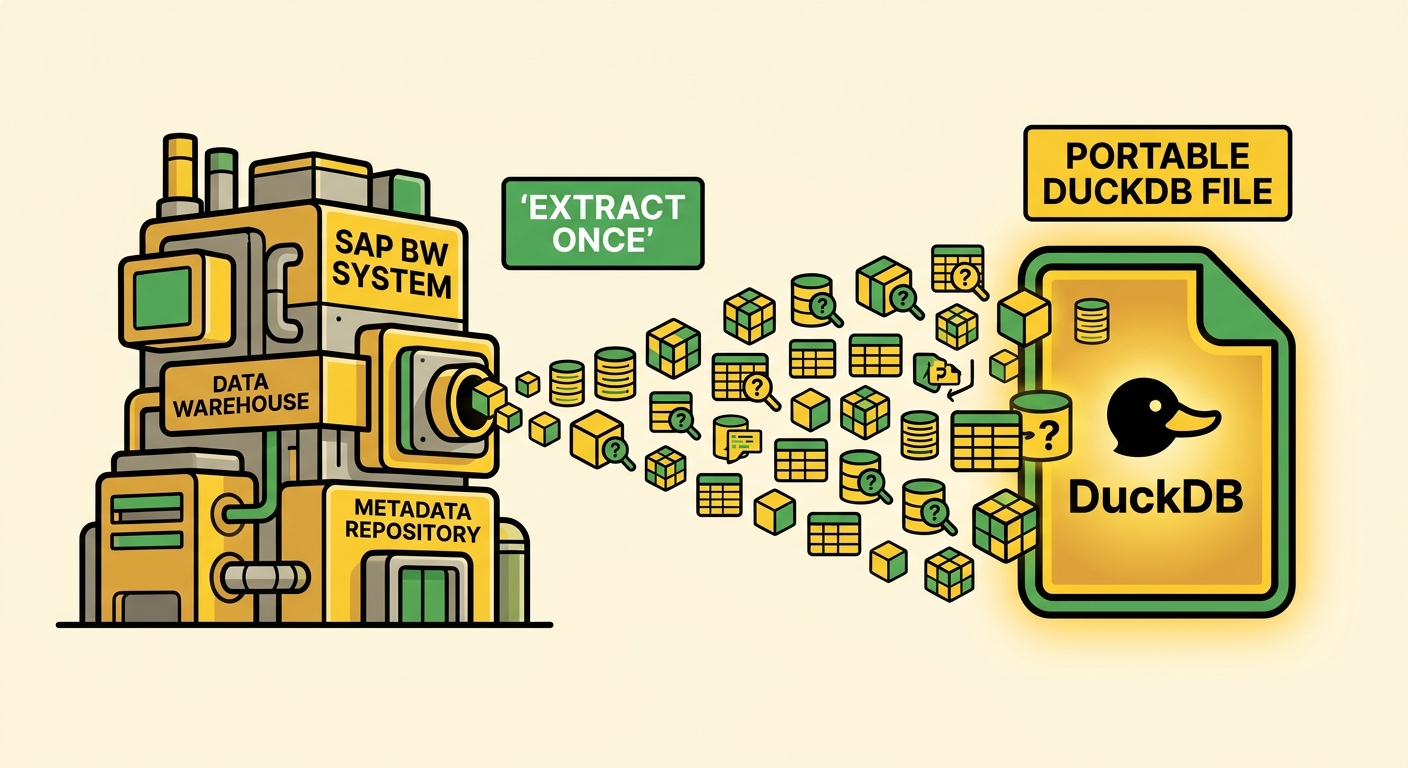
Extracting SAP BW metadata into a single portable DuckDB file.

You inherit a BW system the way you inherit an old house: with the previous owner already gone and no manual in the drawer. There is a cube called 0D_NW_C01. There is a query called 0D_FC_NW_C01_Q0008. Somebody, once, knew exactly what each of them meant. That person left, and the knowledge left with them.

This is one of the quiet costs of enterprise data work: the metadata is in SAP, but it isn't easy to carry with you. To see what a cube contains you open the Data Warehousing Workbench. To read a query definition you open the Query Designer. To trace where a number comes from you open transaction after transaction, screenshotting as you go, because there is no other place to keep the answer.

I wanted that metadata in a file I could keep: cubes, queries, InfoObjects, characteristics, key figures, CDS views, and the links between them — something I could reason about without SAP in the loop.

That is what the erpl-adt catalog does. This post is Part 1: extract it, and browse it. Part 2 unplugs from SAP entirely and hands the file to an AI agent.

erpl-rev: SAP Calls Out into DuckDB — 10 Million Rows a Minute

· 9 min read
Joachim Rosskopf
Co-Founder & CEO

Picture the data team at a mid-sized manufacturer. Every night they need a fresh copy of the FI line items — BSEG and friends — in their lakehouse, where the analysts actually live: DuckDB, Parquet on object storage, the odd Iceberg table. The table is wide (hundreds of columns) and deep (tens of millions of rows), and the window is tight. The "official" answer is SLT: stand up a replication server, license it, configure the per-table settings in LTRS, babysit the queue. It works. It is also a lot of machinery — and budget — for what is, conceptually, "read this table fast and write it somewhere open."

I wanted to know how far the cheap path goes. SAP already exposes a perfectly good remote-function interface; DuckDB already ingests at memory bandwidth. What if ABAP just called out into DuckDB — no extension inside SAP, no SLT, no staging files — and we made the read fast enough to matter?

So I built it — two days, with Claude Code as the pair programmer. The result is erpl-rev, and on a throwaway SAP developer trial (single host, over loopback) it replicated 10,000,000 rows of a 400-column BSEG-shaped table in about a minute. It's an early release — a research prototype we're opening up, not an SLT replacement yet — but the numbers were enough to convince me the cheap path is real. Here is the story, the tools, and the numbers.

I Asked Claude Code to Build a CDS View. It Got the Delta Annotations Right.

· 15 min read
Joachim Rosskopf
Co-Founder & CEO

Picture the ecommerce team at a mid-sized retailer. They have just shipped a customer-support chatbot — the LLM-driven kind that fields the "where's my order?" and "can you change the delivery address?" tickets that used to eat a third of the call-centre's day. The bot is good. It is also wrong about fifteen percent of the time, because the order data it reasons about is six hours stale: a nightly job dumps VBAK to a Parquet file, the bot reads the file, and customers find out the bot does not know about anything they ordered after lunch.

The fix is obvious — feed the chatbot from a near-real-time stream. The cleanest compliant path is ODP-via-OData: SAP's Gateway exposes the CDS view as an OData v2 entity set, the consumer follows the !deltatoken=… link, the bot's cache lands inside a five-minute freshness window. (More on why OData and not RFC in a moment — that part is no longer a stylistic choice.) The blocker is the CDS view that the ODP framework reads. If you have ever built one by hand, you know the actual coding is the fast part — five lines of select from. The slow part is the annotation block on top, the half-page of @Analytics.dataExtraction.delta.byElement.name, @AccessControl.authorizationCheck, @VDM.viewType, and the @OData.publish switch that surfaces the view through Gateway. Get one of them wrong and the delta isn't a delta. It's a full snapshot every fifteen minutes, and your ODP queue is on fire by lunchtime.

This is the part of SAP development that an AI pair programmer is very good at, if you give it a real CLI to drive. Last weekend I built the chatbot's feed end-to-end with Claude Code and uvx erpl-adt. No MCP server, no daemon — just Claude Code running shell commands the way a developer would. Eleven minutes from request to active, ODP-ready view. This post is what happened, command by command.

Your AI Coding Agent Just Learned ABAP

· 7 min read
Joachim Rosskopf
Co-Founder & CEO

We built erpl-adt because we got tired of Eclipse being the only way to interact with ABAP systems programmatically. If you wanted to search objects, read source code, or run unit tests against SAP — you had to use Eclipse ADT. No CLI, no scriptable API client, nothing you could plug into a CI pipeline or hand to an AI agent.

So we built one. A single binary that speaks the ADT REST API, works from the command line, and doubles as an MCP server for AI coding agents.